Showing posts with label video. Show all posts

Wednesday, November 2, 2011

What's new in Ubuntu 11.10 (Oneiric Ocelot)? [Screenshots & Video]

Ubuntu 11.10 was released on October 13th, and that very day I promptly received a notification from the update manager asking if I would like to update. Two hours later, the downloading and installation was complete. Once I opened it up I found that the user interface had changed completely. 
Below I've listed what really stood out:
Skip to the end to see a video I made demonstrating the UI of ubuntu 11.10

Wednesday, September 28, 2011

How to convert notes greater than 4 KB into iPod sized linked notes.

The iPod can only display notes which are less than; equal to 4 kb. So if there's some text file you want to read on your iPod which is greater than 4 kb, you can follow the steps below to break up your file into linked iPod notes.

Follow these steps or watch the video in the end.
     1.Convert the file to plain text (.txt)

Monday, September 26, 2011

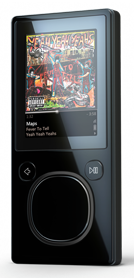
Making the most out of notes on your iPod, iPod classic, iPod mini, iPod nano, iPod (5th generation)


1. eBooks

The iPod Touch & iPhone very conveniently have the iBook app, in which you can read books, organize them and even purchase them from iTunes. Their screen is the perfect size for a pocket-size eBook reader.

The iPod classic, iPod nano and all those other iPods with the revolutionary click wheel, do not have an option for reading eBook. Upfront, the closest you'll get to a story is audio-books. However to READ books you can simply import your eBook into your iPod notes. But what's the catch? Each iPod note has a limit of 4 KB. Whereas an average book (in .txt) is 200-300 KB. 

Friday, September 16, 2011

Inside Look at Pottermore

*new screenshots here*

First week of August, the pottermore website started their magical quill quest. For seven days, the website would give you a clue, leading to a number, which would further on lead you to a website; where you would look for the magical quill, make it levitate and click it. Leading you back to the pottermore website, but this time for registration.

I went on the magical quill quest on the third day, waiting at exactly 11 am GST with the third book in hand. The whole experience was pretty exciting, and I got through. However the registration didn't mean I could access the website! I would now have to wait for a welcome letter.. . Well I finally got that last week: almost one & a half month later. And 3 weeks before October, which is when pottermore will be open for all.

The wait was pretty disappointing, and futhermore there wasn't much material on the internet about how the website looked, and importantly, what it really was all about? I opened the website today, the video below is my first look at pottermore.com


The animations were pretty impressive and the idea was great. But the SPEED! Torture!!

Saturday, September 10, 2011

How to download mp4 movies FREE for ipod, iphone, psp and blackberry.


  1. Go to www.pspiso.com
  2. Create an account. (It's free and totally worth it!)
  3. Log in.
  4. Scroll down to PSP Cinema >> PSP format movies.
  5. Browse through the first few forums for the movie that you want.
  6. Download.
  7. Transfer to your iPod, PSP, iPhone or Blackberry.
Watch the video below for a demonstration:


This content is owned and copyrighted by http://greenfridge.blogspot.com

Tuesday, September 6, 2011

IP Address?

What's an IP address?
You know how your house has a postal address to locate its exact position and reach it. An ip address is like the postal address of your computer. It can be dynamic (changes every time you turn your internet box on/off) or static (it stays the same no matter what).  The ip address depends upon your modem. So all the devices connected to that modem will have the same ip address.

What information does my ip address reveal?
Your IP address reveals your 

Friday, September 2, 2011

An Introduction to Ubuntu 11.04


Ubuntu is the top-used operating system based on the Linux kernel. In the video below I have demonstrated the user interface of the OS. It's fast and very sleek. I have come to Linux as a disgruntled windows vista user, and Ubuntu is a breath of fresh air.

Wednesday, August 31, 2011

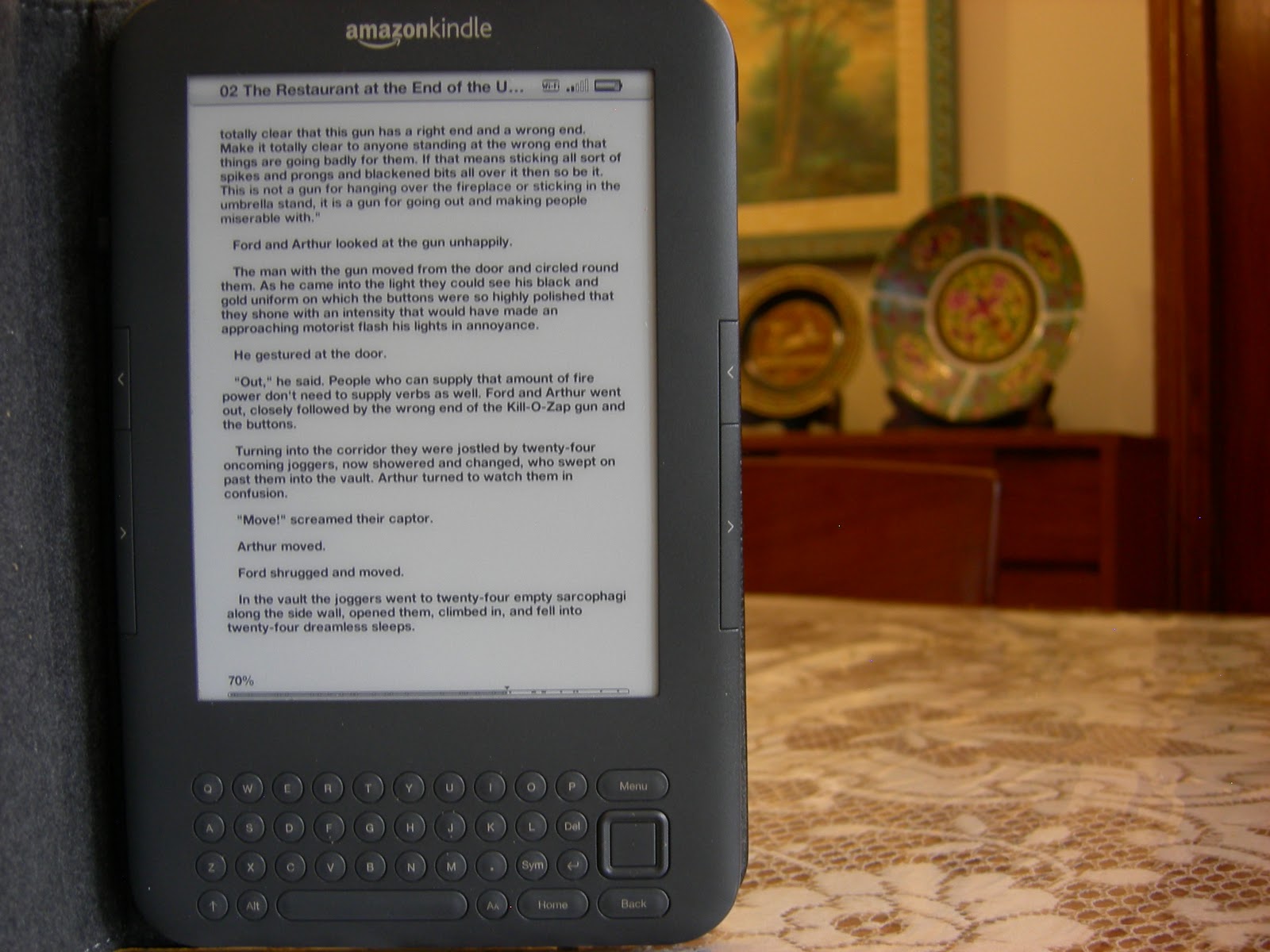
Amazon Kindle Keyboard Review


This is a review of the Amazon Kindle 3 which has now been renamed as the Amazon Kindle Keyboard. 

DISPLAY: This model has a 6" display with electronic ink pearl technology. I can't explain what that means technically. But it's a noticeable difference from your TV, laptop or mobile screens. It has no back light, and it's script is much sharper and clearer, no matter how much you magnify it. It's basically designed to replicate a real page, so when you read for hours you won't be supporting aching bloodshot eyes, the way you do when spending hours on your laptop.