Showing posts with label nexus 7. Show all posts

Wednesday, December 4, 2013

Android Kit Kat 4.4 on the Nexus 7

Typing "Kit Kat release date" into Google had become a weekly routine for me these past few months. At long last, my patience was rewarded when my Nexus 7 had an exciting new icon in the notification bar marking a new system update. Despite some initial hangups in downloading the firmware, the installation process went smoothly.

To keep myself surprised for a change, I had kept myself in the dark about Kit Kat's new features. So when my tablet rebooted after the update, surprised I was. After witnessing the drastic new changes in iOS 7 a month before, Kit Kat fell way below my expectations. New icons, layouts and settings were soon apparent after some digging around but my usual excitement on new android updates was somewhere in space crashing into Mars.


Below is a list of changes found on the Nexus 7 running Android Kit Kat 4.4:


Android Kit Kat 4.4 Logo


Colours:

The first noticeable difference in the interface after the update, is that the electric blue icons and writing have been replaced by off-white. As evident by the iOS 7 and the new minimalist web design Google is sporting these days; white is the new black.


Colour Change in Kit Kat 4.4
Emoji:

The long-beloved expressive and fun emoji keyboard native to iOS users has now made its debut on the Android platform. Although the emoticons do not look exactly the same, they do manage to replicate the same emotions.


Printing:

You can now print photos and documents directly from within, without the need of any external apps. These are compatible with wireless printers (hp print service plugin is pre-installed for hp ePrint printers). It also gives the added options of saving the file as a PDF or to Google Drive or GoogleCloud printing using any other device, having Chrome installed.

Nexus 7 Printing Menu

OK Google:

The list of commands in Google Now has been greatly improved upon. By saying "OK Google", you can do the usual voice search or command your device to send a message, schedule an appointment, make a note, play a movie or song, get directions and so on. Pretty similar to what Apple's Siri does, including a robotic female voice which reads the results out loud.
Google Now was updated  when my device was running Jellybean, before the update, so this may not be a Kit Kat exclusive feature.

Google Now

And if you keep silent after saying "OK Google", the app will display a list of commands you can dictate using Google Now.


Google Now Voice Commands

Location:

A new permanent addition to the quick settings bar is Location. It displays apps currently using your location and monitors their battery use. If you are using an app which is accessing your location, like checking into a restaurant on Facebook, the location icon will also appear on the top right corner.


Play Newsstand:

This app has been launched to replace and combine Currents and Play Magazines. It displays non-book content: this comprises of both online reading material (blogs, newspapers) and paid magazine subscriptions, all within one app.
This app is also able to offer more customized offers by learning your reading preferences from past history. To celebrate its release on the 20th of November, Play Newsstand is offering free and discounted magazines.


Play Games:


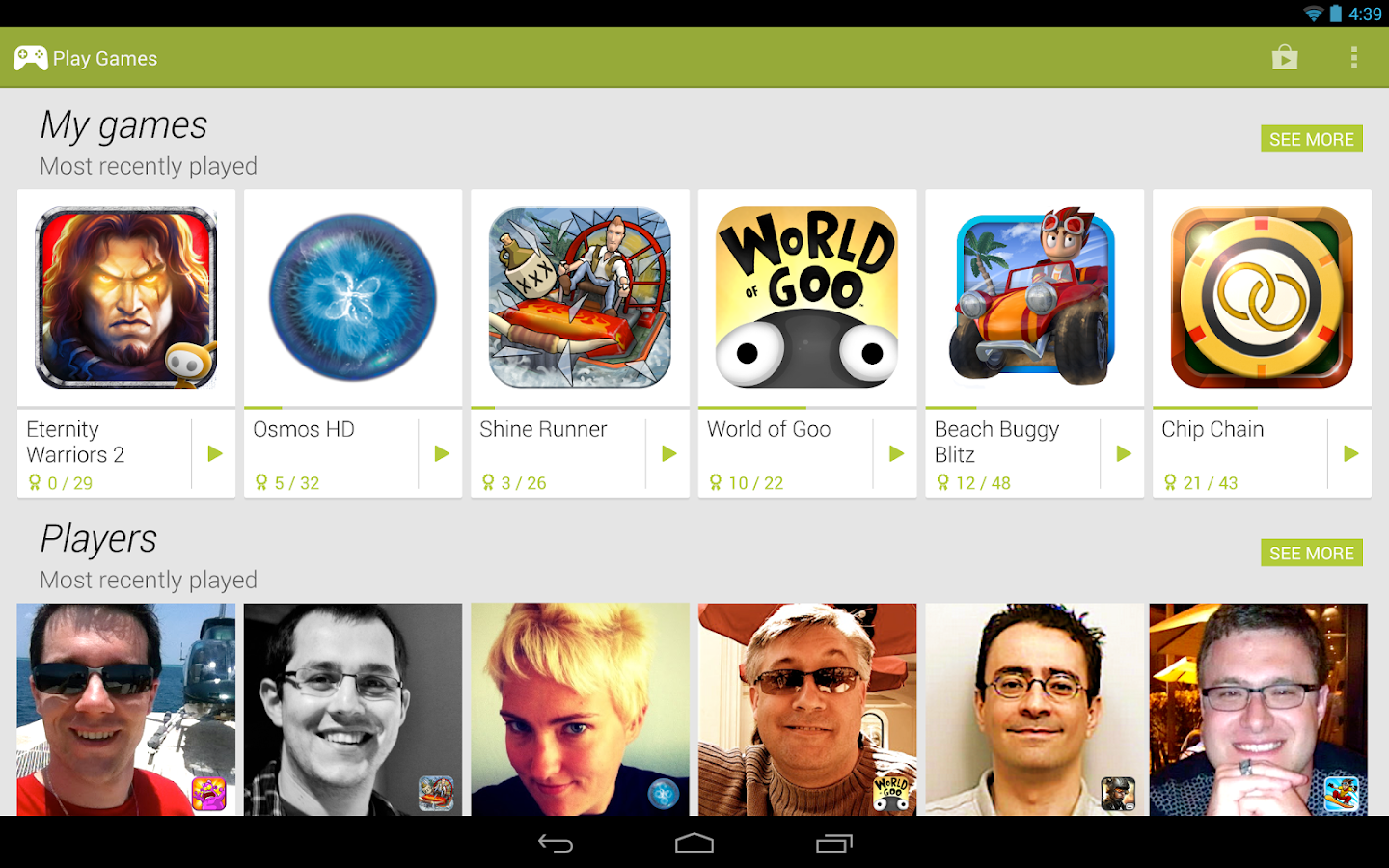
This social gaming app has been released during the summer, but in this update it has become a stock app. You can track your achievements, compare scores with friends and discover new games. You can download it from Google Play for any device.


Clock:

The stock clock app has been redesigned, making the time-related options more easier to switch between. Also, when setting the time for a new alarm, you are now faced by a new circular style time selector.
Android Kit Kat 4.4 Stock Clock and Alarm Selector

An new feature in the stock app is the option to dismiss an alarm before it rings, via the notification bar. 


Android Device Manager:


Google has finally installed anti-theft tracking software within the new update; Normally third-party apps have helped do the trick. Using the Android Device Manager, you can now track your device if lost or stolen via the web. It not only shows you on a map where it is, but also gives you the option to ring, lock or erase all data from it. 


Monday, January 21, 2013

ASUS Nexus 7 Review

So I have officially entered the tablet era. I was looking for something cheap yet powerful. After my last bad experience with a cheap android phone, I promised to never compromise on price again. However this time I could due to the amazingly low price of $200 on ASUS and Google's joint venture of the Nexus 7 tablet.


PROS:                                                                            CONS:
Great Price                                                                    No expandable storage option
Durable and comfortable material                             No back camera. Low res front camera
Quad Processor for relatively cheap price
New updates are received in time

SPECIFICATIONS:
Operating System : Android 4.1 Jelly Bean
Processor: Quad-Core 1300 MHz  NVIDIA Tegra 3
Display: 7 inches IPS LCD 
Resolution: 1280 x 800 ( 216 ppi )
Memory : Option of Internal 8 GB, 16 GB & 32 GB (No SD Card slot)
Wireless Connectivity: NFC, Bluetooth, Wi-Fi

PERFORMANCE:
Having a quad core processor I was expecting the Nexus 7 to be blazing fast with zero lags. However I am slightly disappointed by it's performance. It does have a few seconds lag when opening the home screen, and does have those occasional freeze ups. Heavy duty games like NFS Most Wanted perform well if other applications are closed, even then it does freeze up in loading. However it does a great job in multi-tasking and its a joy switching between apps with absolutely no delay. Overall I'd give it's performance a 9/10 rating.


BODY:
When buying the Nexus 7, I didn't expect it to be my new constant companion because of it's large size. Boy, was I wrong; The 7.8 by 4.7 inches tablet easily fits into all of my purses and thanks to its scratch-less screen and back cover, I didn't feel the need to buy a cover and waste effort to the thought put behind it's superior design. The Gorilla Glass screen is thick, scratch resistant and has a quick touch response. It's back is made of a soft rubberish material which is  comfortable to hold for hours due to its smoothness despite a grainy look. What I like about it is that it doesn't dirty easily or show any signs of wearing out soon.

 CAMERA:
In cutting down on the price, ASUS has provided only one front-facing camera having 1.2 megapixel. It has a yellowish glow and gives a grainy image indoors. It's only purpose being for video calling, is apparent by the absence of a camera app. However you can easily download a free app to access the camera from the Google Play store here.

PORTS:
1 micro-USB Port
1 3.5mm Headphone Jack
4 pin connector (Meant to be used for the utilization of Nexus 7 accessories; So far only the official dock can be connected through this.)


BATTERY:
With intense use (6+ hrs a day), the battery will last for a day. However with moderate use, you can stretch it to two days. As with all other devices, it's battery life depends on the intensity of the apps you use. I can easily squeeze in a half hour of reading after the low battery warning.


SOFTWARE:
After it's initial setup, the Nexus 7 will prompt you to download and install the latest software updates. Currently it is running on Android OS 4.2.1.
Being the flagship device of Google, you will find the unmodified version of Android, saving you from those pesky pre-installed apps or an uncustomizable interface.
A list of new apps that came pre-installed on the Nexus 7 are:

  • Chrome (web browser)
  • Currents (Publications optimized for tablet)
  • Earth
  • Google + & Messenger +
  • Play Books, Magazines, Movies & TV and Music
  • Google Wallet
The Nexus 7 is also the first device to introduce Google Now. It opens up by swiping your finger up from the bottom of the screen, displaying a search bar, and "cards". These cards are based on your Google search. I've really enjoyed this feature while travelling: It displays my upcoming flight and status, and when travelling to a new country, it displays the updated currency exchange rate, the time back home, attractions nearby and local events. A card also appeared notifying me of my amazon delivery and a direct link to track it. On a daily basis it displays the weather and time to work (including traffic). 


VIDEO CALLING:
I frequently use Google Talk and Skype for video calling. The call quality is pretty bad for some reason, in both apps. At first I blamed it on my internet speed, but after some tests I can confirm that is not the case. The video of the other caller isn't clear, and the audio is a nightmare, you literally can not understand a word, and have to spend half the call making sense of broken words. I'm extremely disappointed by this, as I was looking forward to replace my laptop for calling. I'm not sure if this is a defect in my model, or the entire product line.


CONCLUSION:
This is quite literally the best android device you can get for $200. What it majorly lacks in is a good camera, poor call quality and most importantly no expandable storage. No SD card seems like a huge omission  but I believe the reason for not doing so is because by providing the Play apps, one is able to access their movies and music through cloud storage. However, not everybody wants to buy their media all over again from the Play store.